Security cameras
Business security camera systems with remote viewing and recording sized to your needs.

We install the door hardware, readers and controllers, then set up your people and schedules so the system works on day one.
Offices with several tenants or departments, medical and dental offices, warehouses, gyms, and apartment communities with entrances, gates and amenity areas.
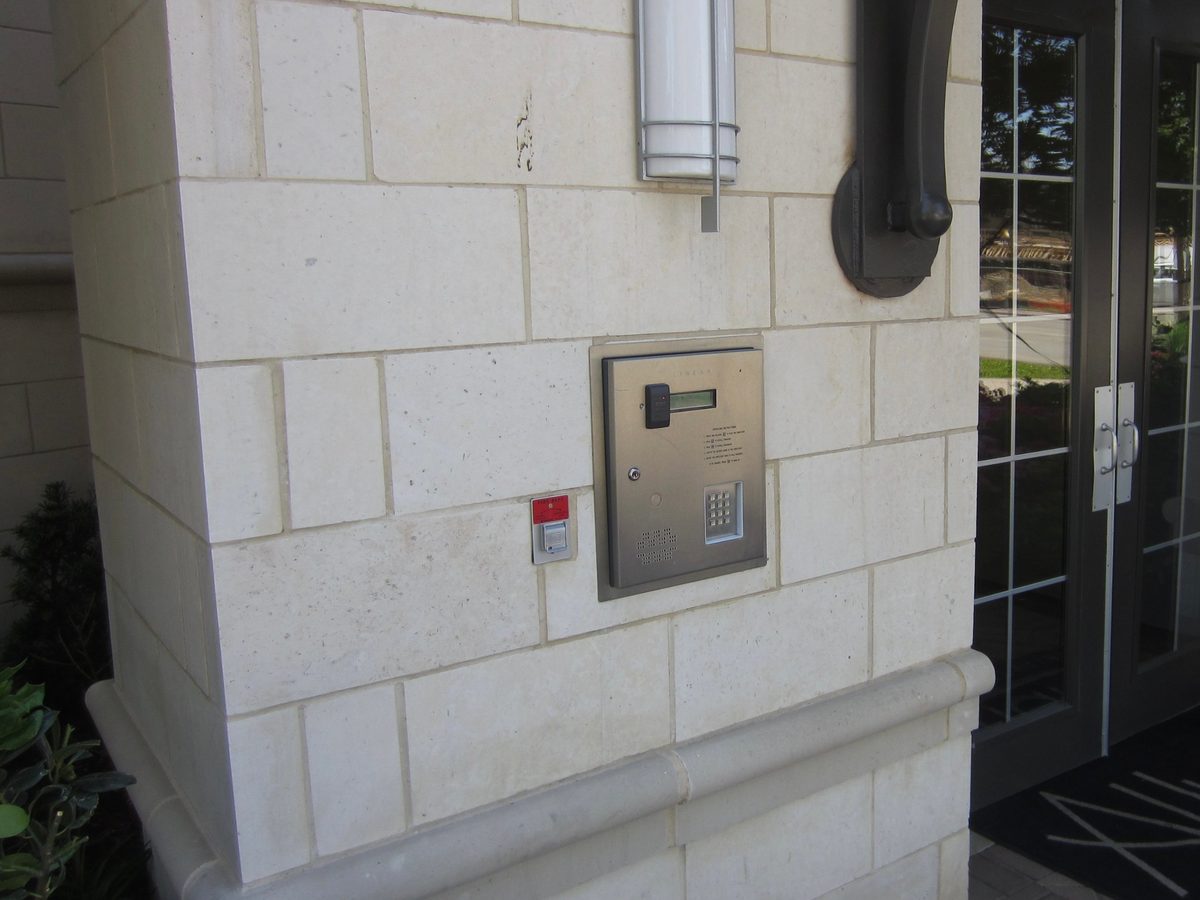
We installed this telephone entry system at the front doors of an apartment building in Dallas. Visitors look up a resident on the directory display and call them from the panel. Residents let guests in from their own phones, and the card reader and keypad give residents and staff their own way in.
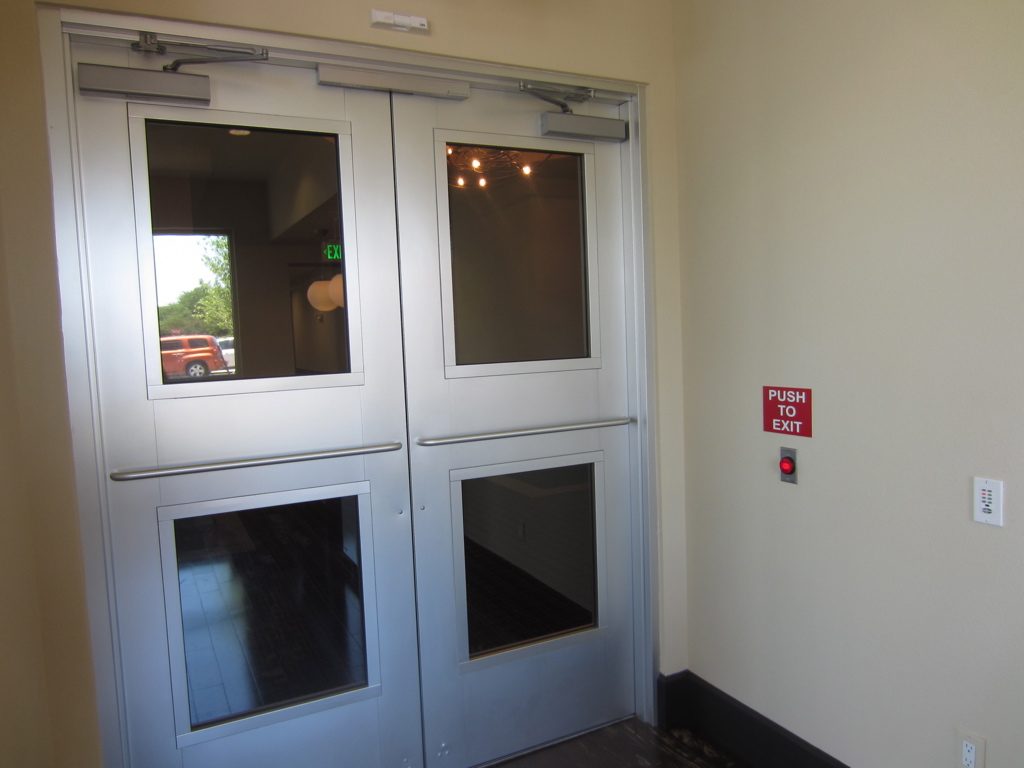
At the same Dallas apartment building, we installed magnetic locks on this pair of doors. The push-to-exit button beside the doors lets residents leave without a credential, and entry from outside goes through the entry system.
In most systems, yes. You manage people from a computer or phone, and we train you on it during setup.
Many controllers keep working locally and catch up when the connection returns. We also set each door to stay locked or to unlock for safety, depending on the door, and we agree on that with you.
Often. We check the door, frame and lock on the walkthrough and tell you what can be reused.
Many systems support phone credentials. We confirm whether the one we recommend does.
Business security camera systems with remote viewing and recording sized to your needs.
Cameras watched by a trained operator after hours, with live video checks and talk-down.
Door, window and motion sensors with keypads, phone control and optional monitoring.
The new customer form takes a few minutes. We’ll follow up to schedule a walkthrough.
Prefer to talk? Call 214-736-4729.